01
Builds with real tools
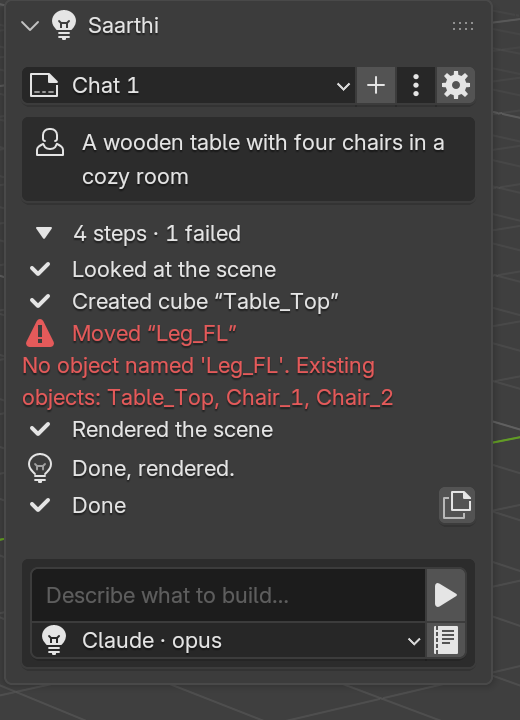
Primitives, modifiers, materials, lights, camera, render settings — and Python for anything else. The model looks at the scene and takes viewport screenshots to check its own work.

Product — Blender extension
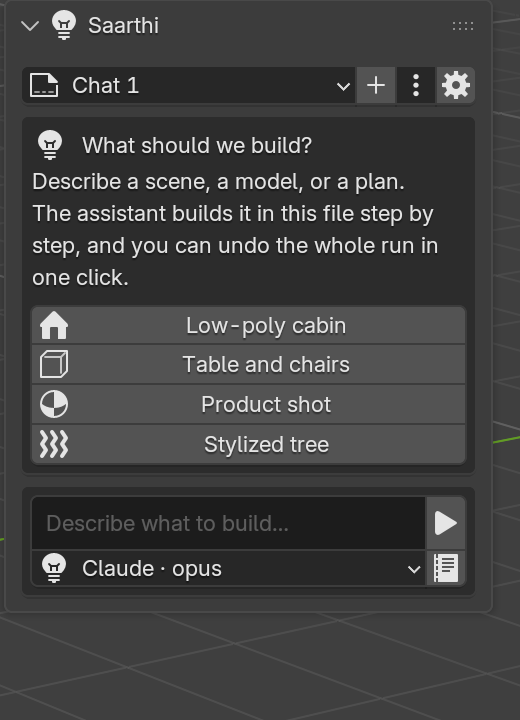
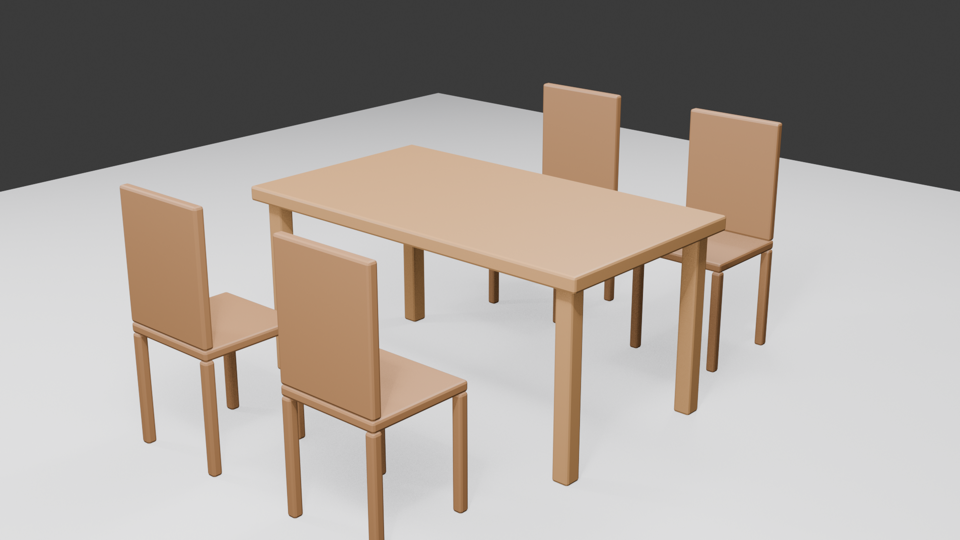
A chat panel inside Blender. Tell it what you want — a cabin in the snow, a product shot, a table with four chairs — and an AI model builds it step by step with real Blender tools, then renders it. Use Claude with your existing subscription, a local Ollama model, or any OpenAI-compatible server.
01 — Features
01
Primitives, modifiers, materials, lights, camera, render settings — and Python for anything else. The model looks at the scene and takes viewport screenshots to check its own work.
02
Each run is a single undo step. Don't like the result? Press Undo and the scene is exactly as it was, your own work untouched.
03
A scene can take several sittings. Conversations are saved inside the file, so you reopen it tomorrow and carry on where you stopped.
04
Claude runs through your Claude Pro/Max subscription via Claude Code — no API key. Or point it at Ollama (Qwen3 and other tool-capable models work best) or any OpenAI-compatible server. Switch models mid-chat; the new one gets the conversation so far.
05
Select objects and say “make this red” — the selection is attached to your message automatically.
06
The model runs in the background. Blender stays responsive while it works, and renders show up as thumbnails right in the chat.
02 — Install
In Blender, open Edit → Preferences → Get Extensions. In the Repositories drop-down, click + → Add Remote Repository and paste:
https://dheerendratomar.github.io/saarthi-blender/index.json
Search for Saarthi and click Install. Blender offers new versions automatically from then on. Prefer a file? Download the zip from GitHub Releases and use Install from Disk….
For Claude, install Claude Code and log in once by running claude in a terminal. For a local model, run Ollama and pull one:
ollama pull qwen3
Then open the 3D Viewport sidebar (N), choose the AI tab, and describe what to build.
03 — How it works
Saarthi exposes a focused set of Blender tools to the model. With Claude, your installed Claude Code runs the agent loop and reaches Blender through a private, loopback-only endpoint. With Ollama or an OpenAI-compatible server, Saarthi runs the loop itself — and models without native tool calling still work through a text protocol.
Tools run on Blender's main thread, one at a time, so the scene is never touched from two places at once.
04 — Privacy & safety
Your messages, scene information and screenshots go only to the model you selected. Saarthi has no server, no account and no telemetry. With an Ollama server on your own machine, nothing leaves your computer at all.
Built something with it, or want it to do more? We'd like to hear from you.
Saarthi for Blender is a Primelab product. Free and GPL-3.0 licensed — source on GitHub.